Case Study
AI Copilot for Operational Intelligence
Transformed a legacy enterprise platform into a conversational analytics experience.
AI ProductB2B SaaSAnalyticsShipped FastEnterprise UX
Transformed a legacy enterprise platform into a conversational analytics experience.
The platform was already mid-transformation — new dashboards, like a Loss Analysis view, were giving users a clearer, more visual read on the gap between planned and actual output. As AI adoption grew across the industry, we saw an opportunity to build on that momentum: introduce an internal AI layer as a parallel option alongside the dashboards users already trusted, not a replacement for them.
We shaped that opportunity into an embedded AI Copilot — not a chatbot bolted on top, but a tool that helps users analyze data, generate insights, and work faster inside the workflows they already knew.
Product Designer → Design Lead. Led design product direction, UX strategy, interaction design, and rapid iterations with development from concept to launch.
Users weren't asking for chat — they wanted the platform to be faster and clearer to use. That was the real starting point, with AI as the tool to get there, not the goal itself. Even as the platform improved, they were still navigating:
The real opportunity was clarity, speed, and decision support — delivered as a complementary layer, not a replacement for the tools already in place.
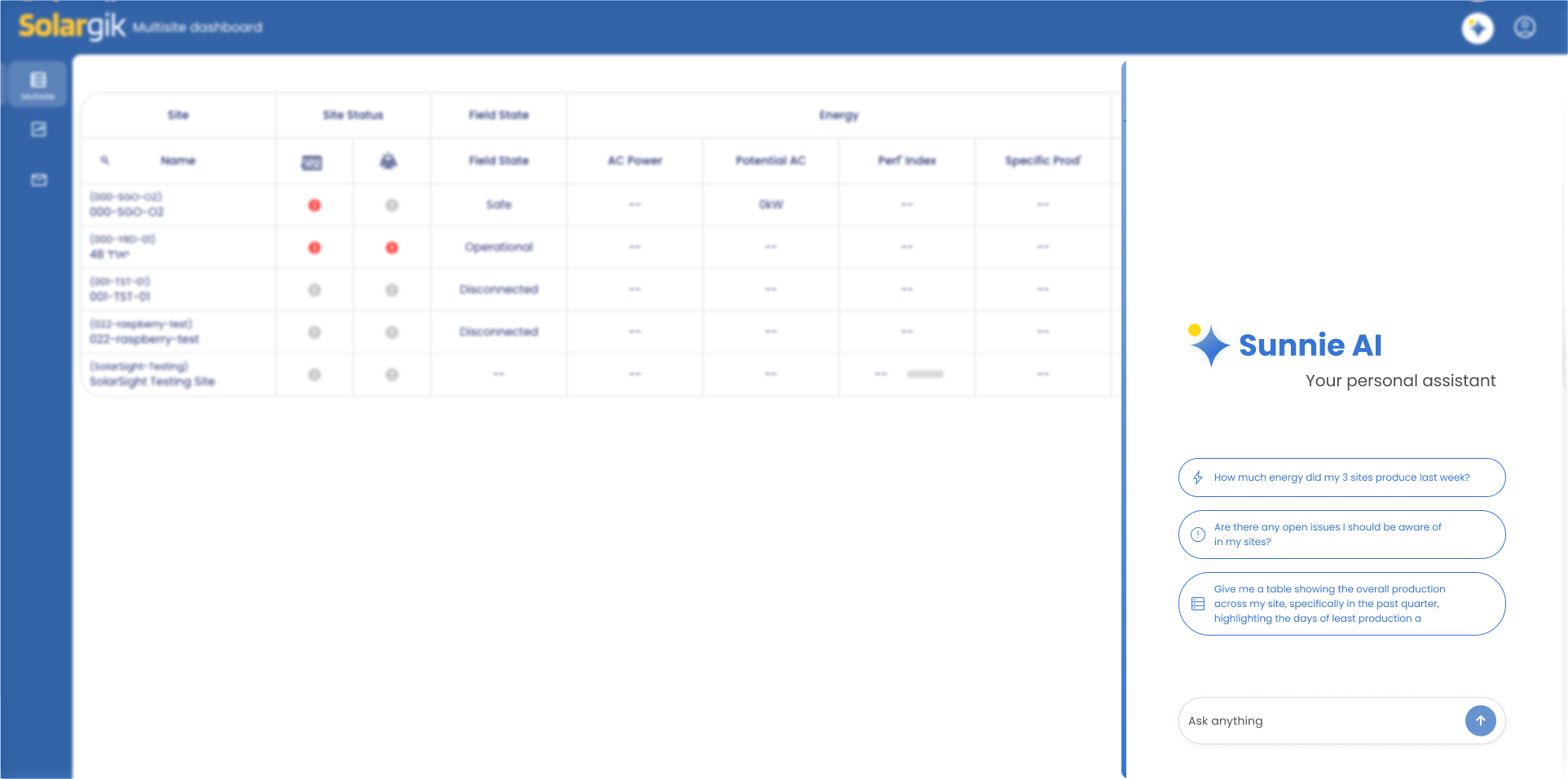
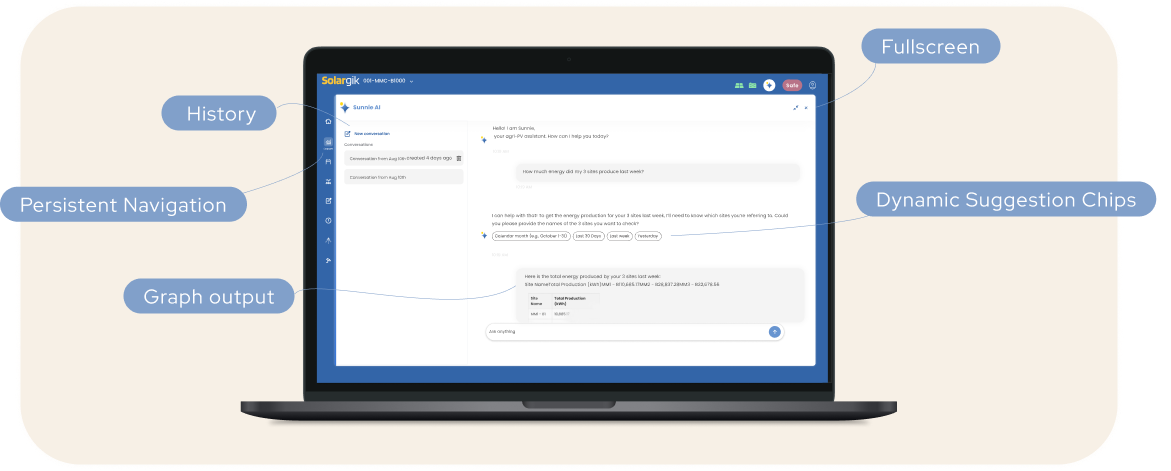
Instead of a floating chatbot, I redesigned the concept into a contextual Copilot integrated into the platform. This made AI feel useful, trustworthy, and part of real work — users could continue using the system while asking the Copilot for help.
No disruption to existing habits.
Familiar enterprise interaction model.
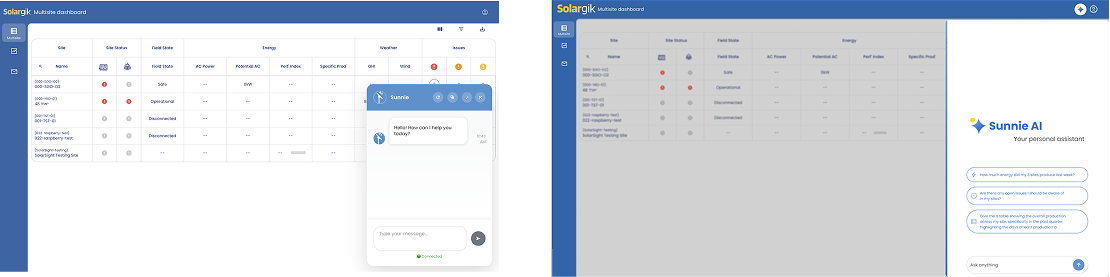
V1: generic chatbot popup, floating over the dashboard.
In production: branded, docked Copilot panel with suggested prompts.
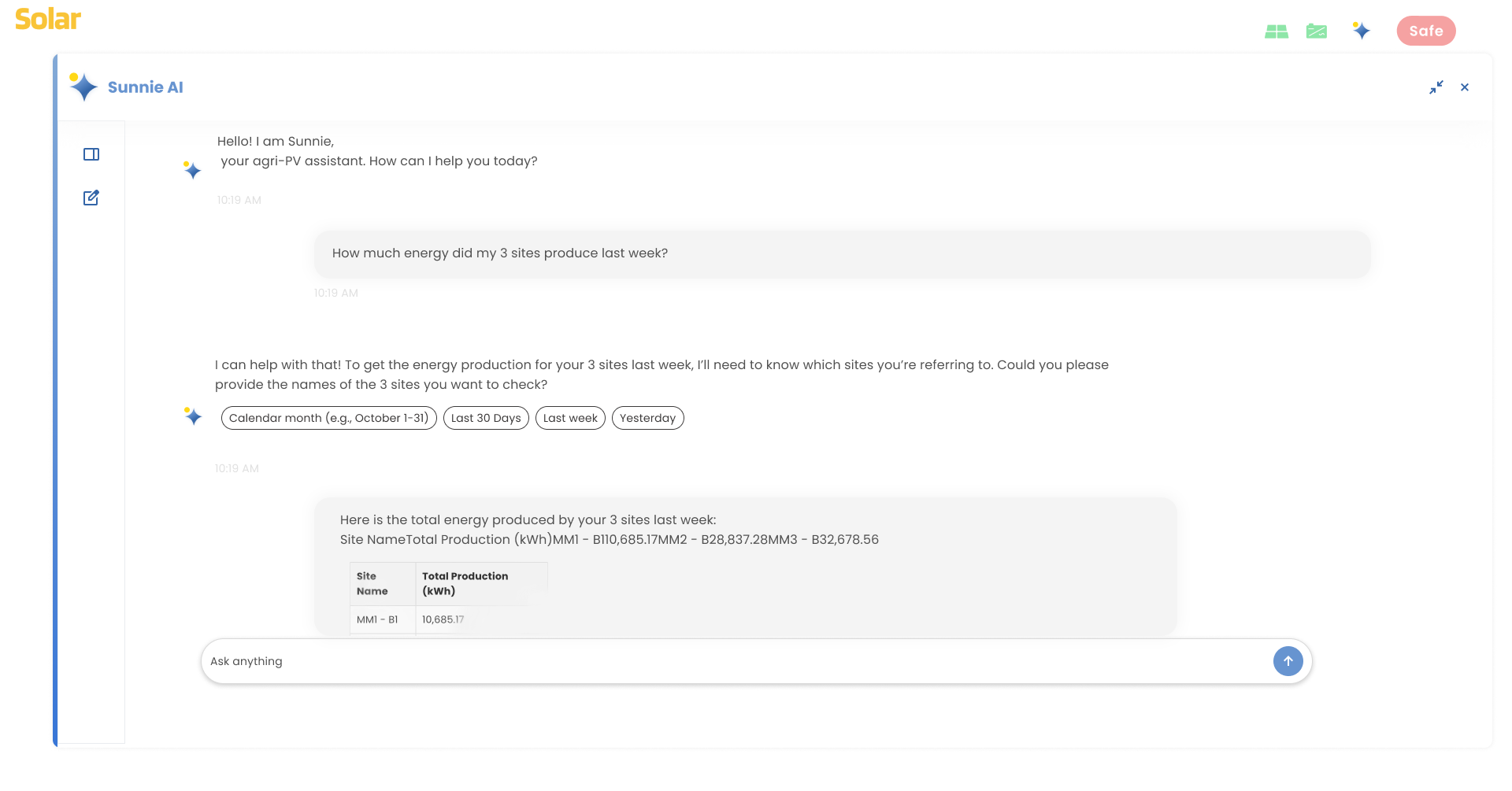
The Copilot enabled users to ask questions in plain language and receive answers as text, tables, charts, or insights.
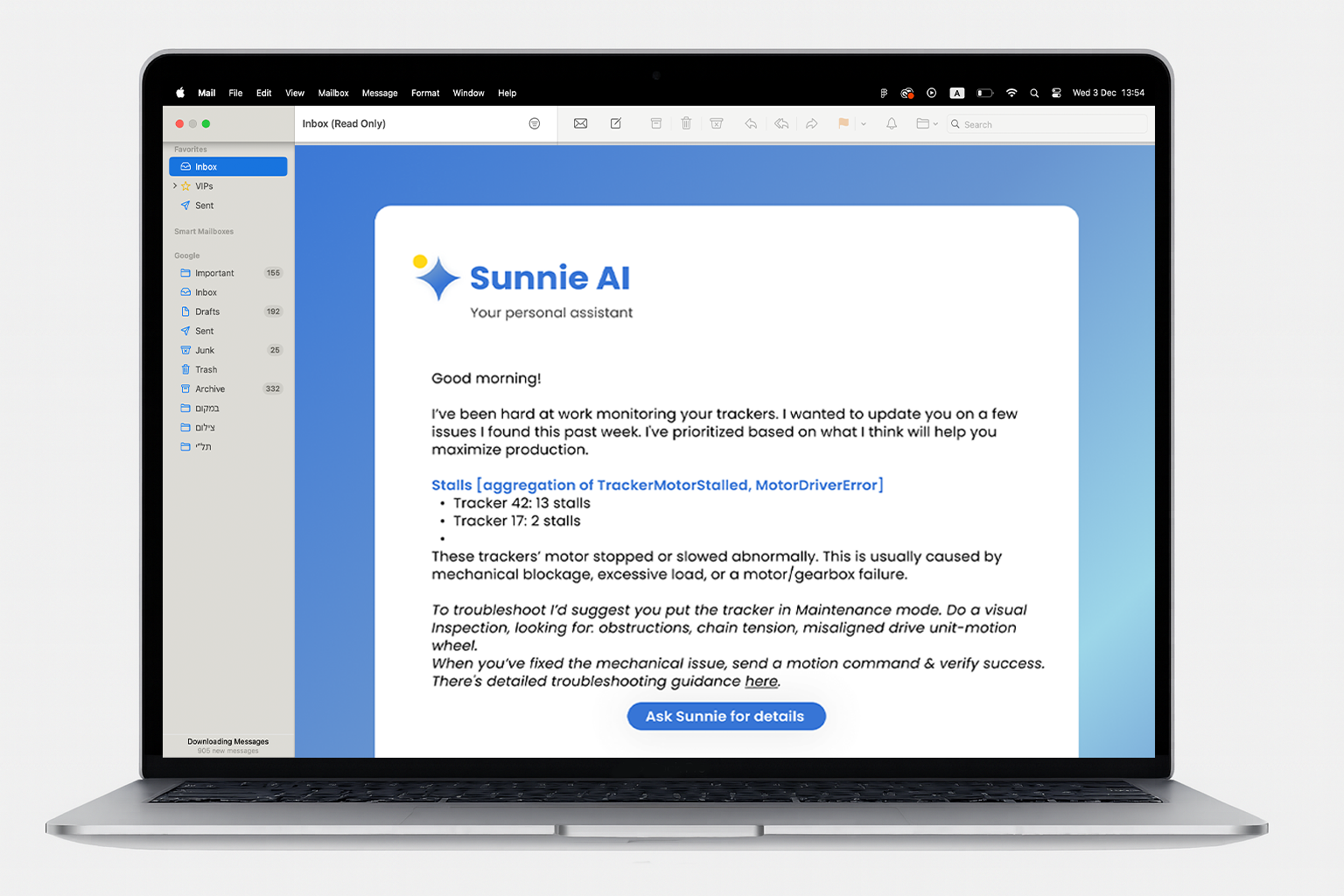
Not every insight should wait to be asked for. Alongside the on-demand chat, Sunnie proactively surfaces issues — tracker stalls, homing errors, anything that needs attention — as a daily digest delivered straight to a user's inbox, with a direct link back into the Copilot for more detail.
Use AI while staying inside the platform.
Expand for deeper analysis.
Return to previous findings.
Tables and charts, not only chat text.
Keep answers connected to product data.
This project fundamentally changed our delivery model. With development accelerated by AI-assisted coding, the traditional "design-first" linear handoff became a bottleneck. We shifted to a highly collaborative, non-linear workflow where design and development happened in parallel.
Launched quickly to production, transforming how users interact with complex data.
Significant reduction in "data-mining" time. Complex queries were reduced from multiple steps to a single natural language prompt, reducing friction and cognitive load.
Became a signal of readiness, not just a feature. Internally and with customers, the Copilot reinforced that the platform was keeping pace with where the industry was heading — not catching up to it later. It became a recurring highlight in demos and conferences.
Users don't need "AI" — they need clarity and speed. Framing it as a Copilot made it a functional tool rather than a novelty.
Great AI UX supports real behavior before replacing it.
As execution gets faster through AI-assisted development, the designer's role shifts from producing screens to guiding product logic and strategic decisions.